AMD CPU Tuning Utility

Unlock greater control over your AMD processor

Ryzen Master is AMD’s official performance monitoring and tuning utility for compatible Ryzen desktop processors. Monitor temperatures, explore Precision Boost Overdrive, configure Curve Optimizer, and create personalized performance profiles — all in one application.
Free utility Windows 10 & 11 (64-bit) Ryzen & Threadripper
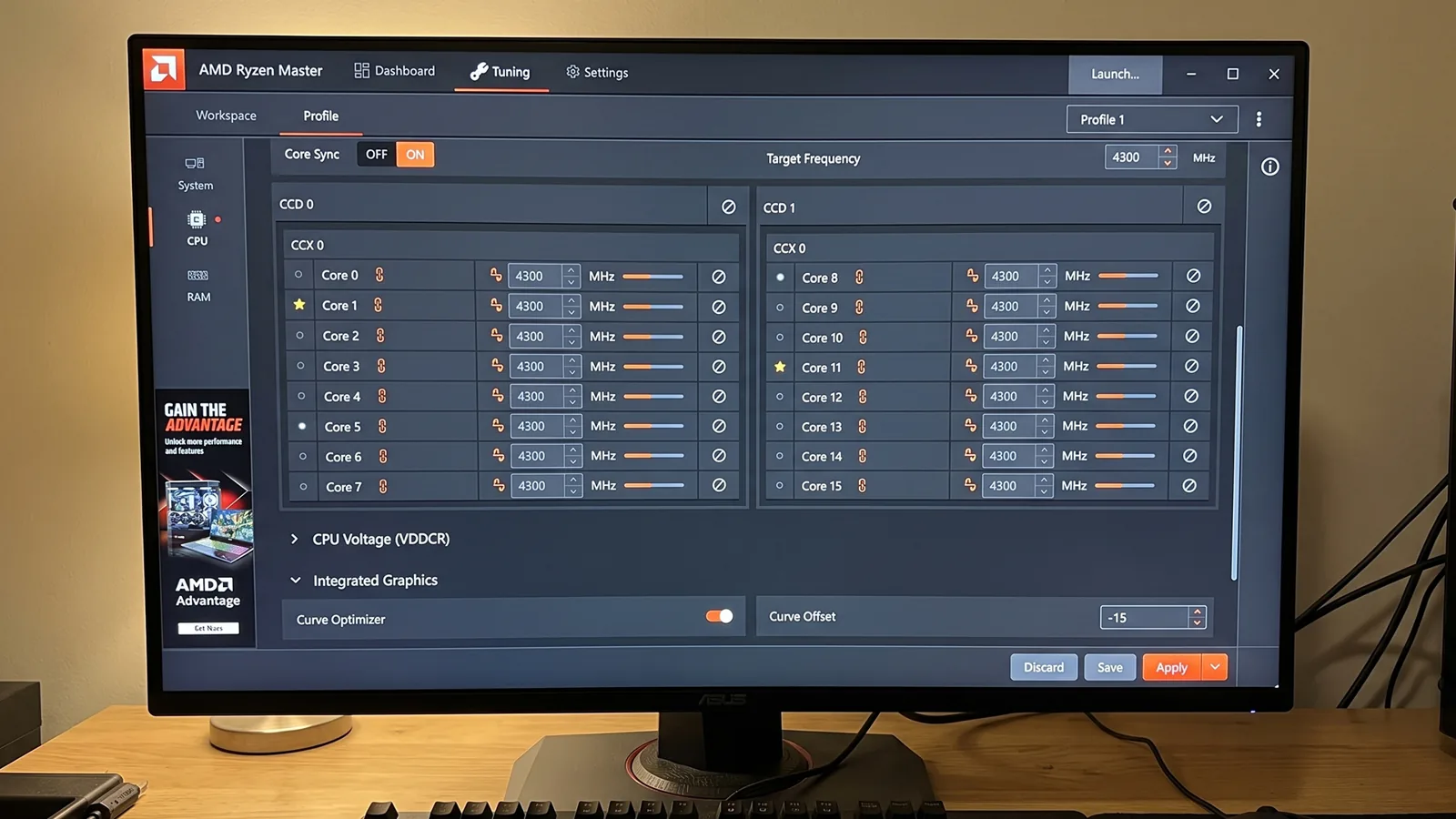
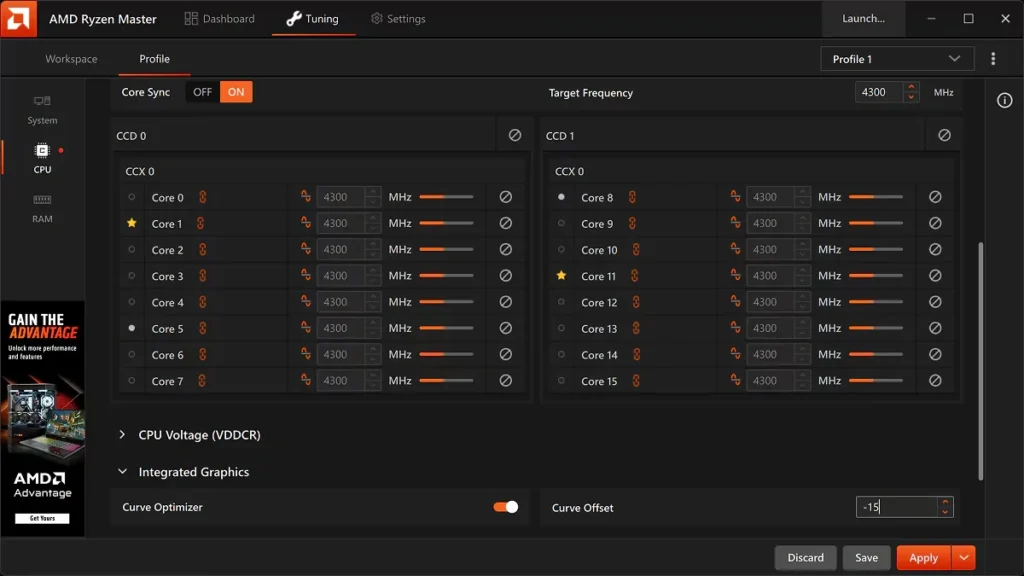
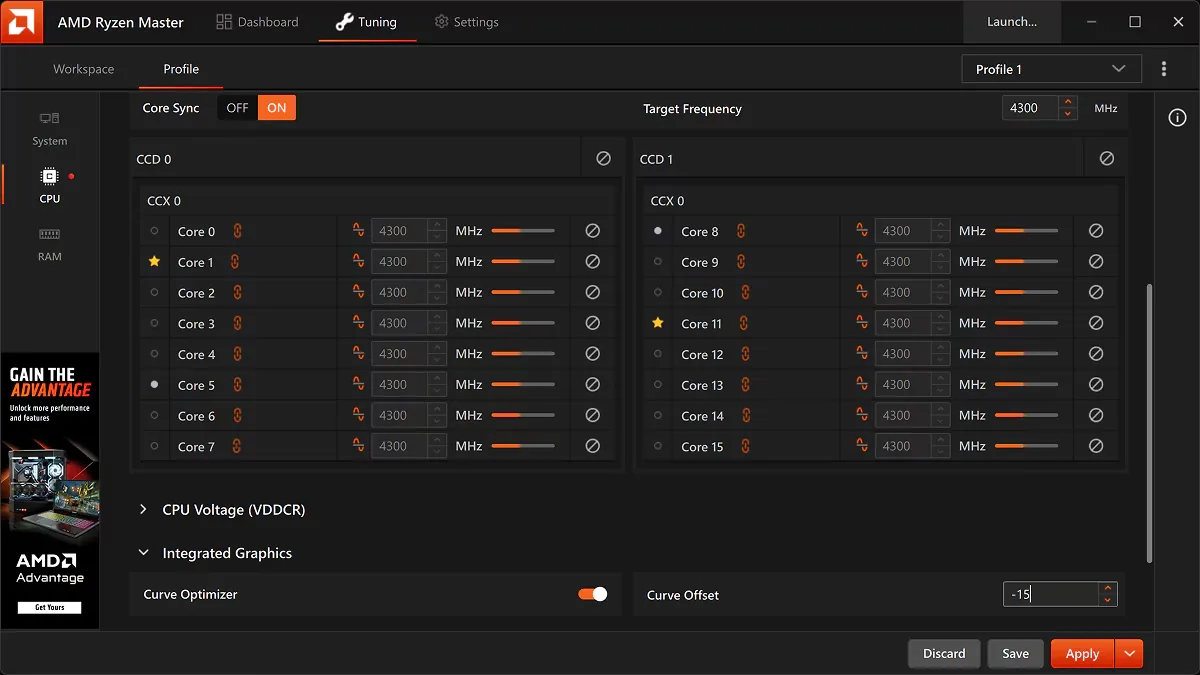
Ryzen Master CPU tuning screen with Curve Optimizer and per-core frequency settings
Curve Optimizer−15 offset
Target frequency4300 MHz
Overview

What is Ryzen Master?

Ryzen Master is an official AMD software utility developed to help users monitor, customize, and optimize supported AMD Ryzen processors.

The application provides access to processor information and advanced tuning options that would otherwise require navigating motherboard BIOS settings.

It is primarily designed for desktop enthusiasts, gamers, content creators, and experienced PC users who want additional control over CPU performance.

Instead of automatically improving every computer’s speed, Ryzen Master lets users experiment with supported settings and determine which configurations work best for their hardware. Available controls depend on the processor model, motherboard chipset, BIOS configuration, and installed software version.

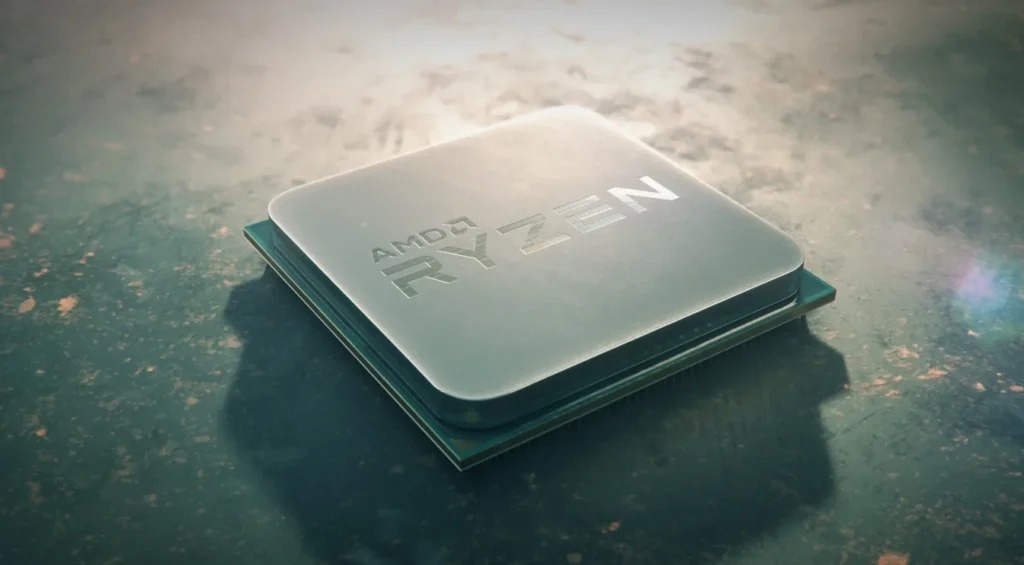
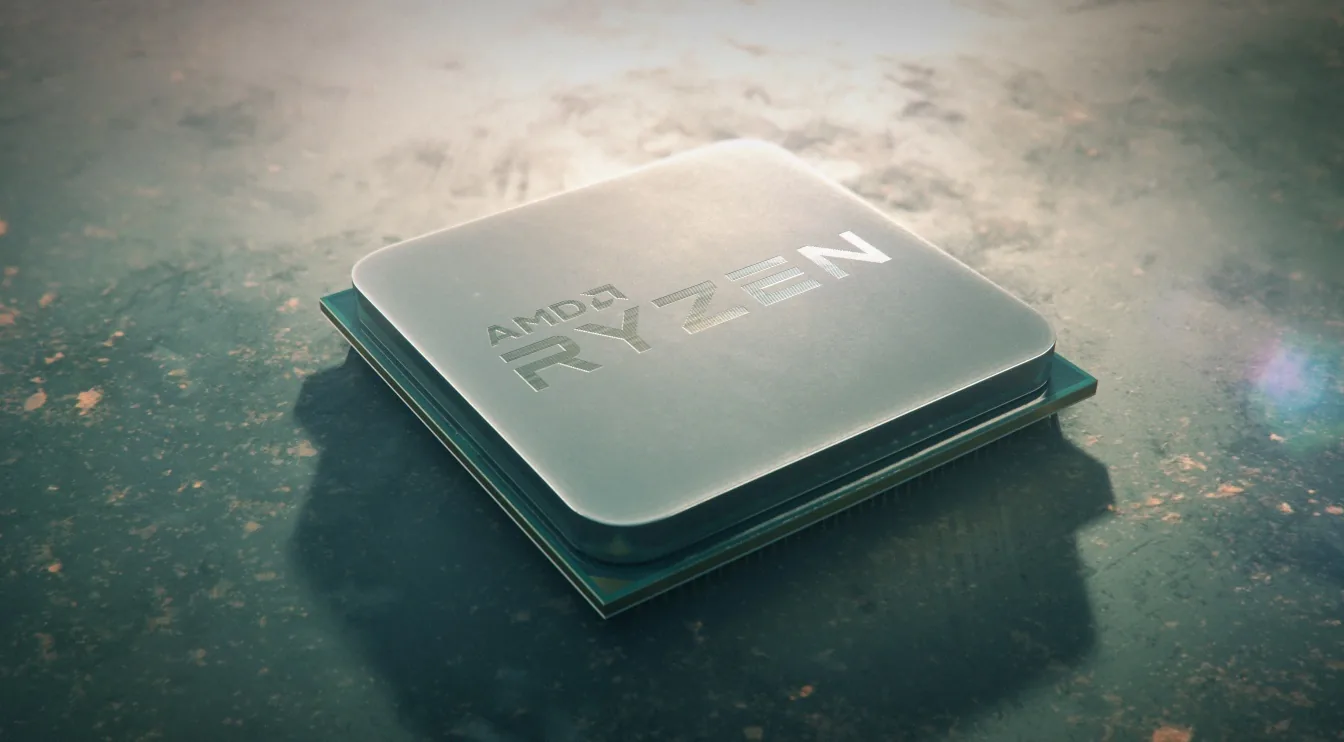
AMD Ryzen desktop processor
Features

Everything you need to tune your CPU

Important processor controls brought together in one application.

CPU Overclocking Controls

Adjust processor frequencies and other performance parameters on compatible AMD processors to experiment beyond default operating settings.

⚠ Higher frequency or voltage may increase power, heat, and instability.

Real-Time CPU Monitoring

View operating temperature, clock frequencies, voltage, power consumption, individual core activity, and power and current limits.

Precision Boost Overdrive

Explore adjustments to processor power and current limits that may allow higher sustained performance under certain workloads.

Results depend on cooling, motherboard, processor and system conditions.

Curve Optimizer

Influence the processor’s voltage-frequency behavior to balance temperature, power consumption, and performance.

⚠ Incorrect settings may cause crashes — stability testing is essential.

Automatic Overclocking

Apply predefined tuning configurations with less manual setup. Doesn’t guarantee improvement or stability — monitor temperatures and test afterwards.

Custom Performance Profiles

Save tuning configurations for gaming, content creation, or general desktop use, and switch between them.

CPU Core Monitoring

Monitor individual core behavior and see how frequency and activity change during demanding applications.

Memory Tuning Options

Access memory frequencies, timings, or performance profiles on compatible platforms.

⚠ Incorrect changes can cause boot failures or data corruption.

Eco Mode

Run supported systems in a more power-conscious configuration — lower consumption and heat over maximum performance.

Smart Stress Testing

Evaluate CPU and memory configurations and identify obvious instability after modifying settings. A short pass doesn’t guarantee full stability.

How It Works

From monitoring to tuning

Ryzen Master communicates with supported AMD processors and system components to display operating information and apply compatible tuning configurations.

After installation, launch the application and access monitoring features through its interface. Certain changes apply within Windows, while others may require a restart.

The software does not replace the motherboard BIOS or guarantee that every processor supports all tuning options.

Basic View

A simpler experience focused on essential monitoring and controls.

Advanced View

Access to more detailed hardware settings for experienced users.

Apply in Windows

Some supported changes take effect immediately.

Restart Required

Other processor or memory adjustments need a reboot.

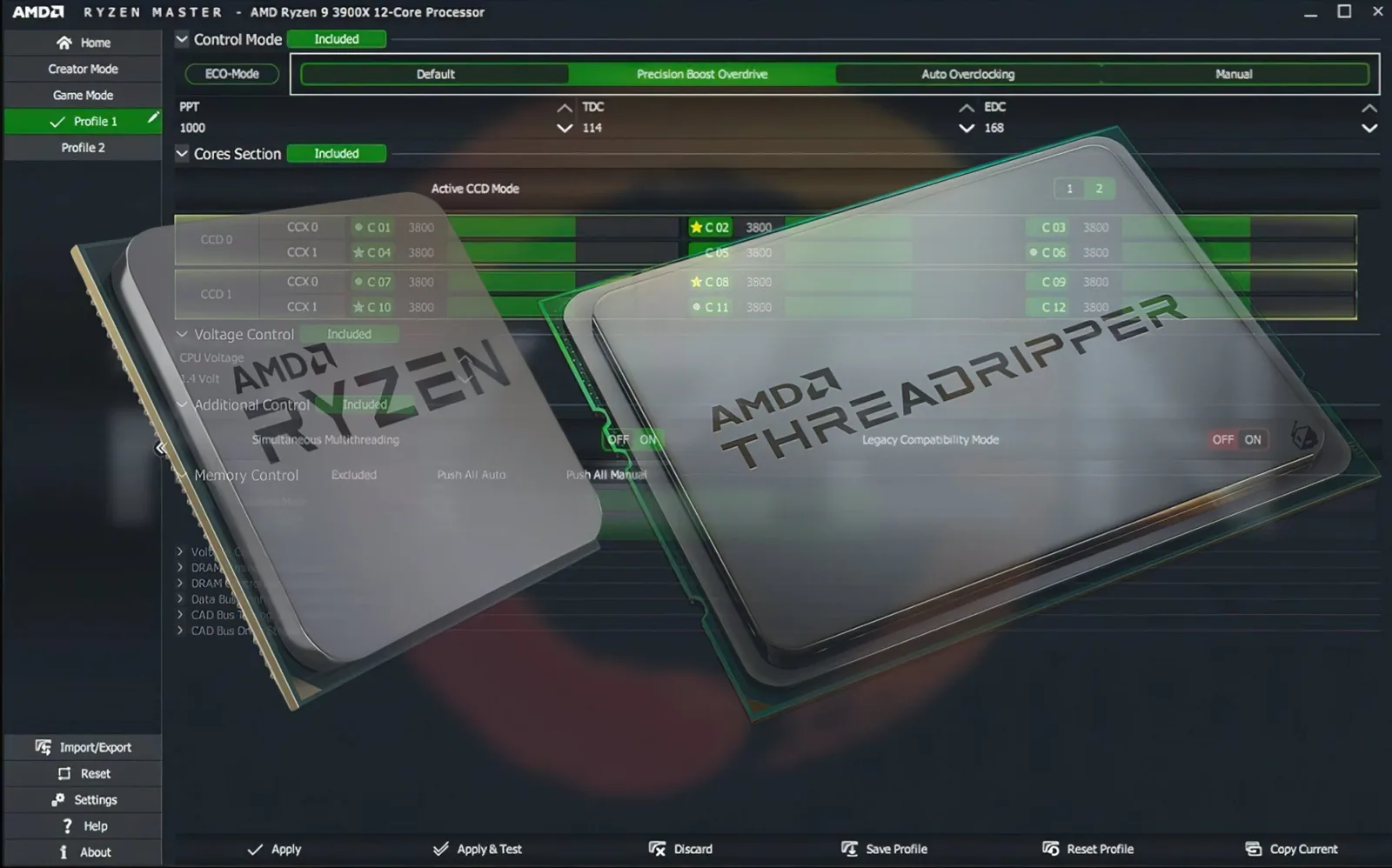
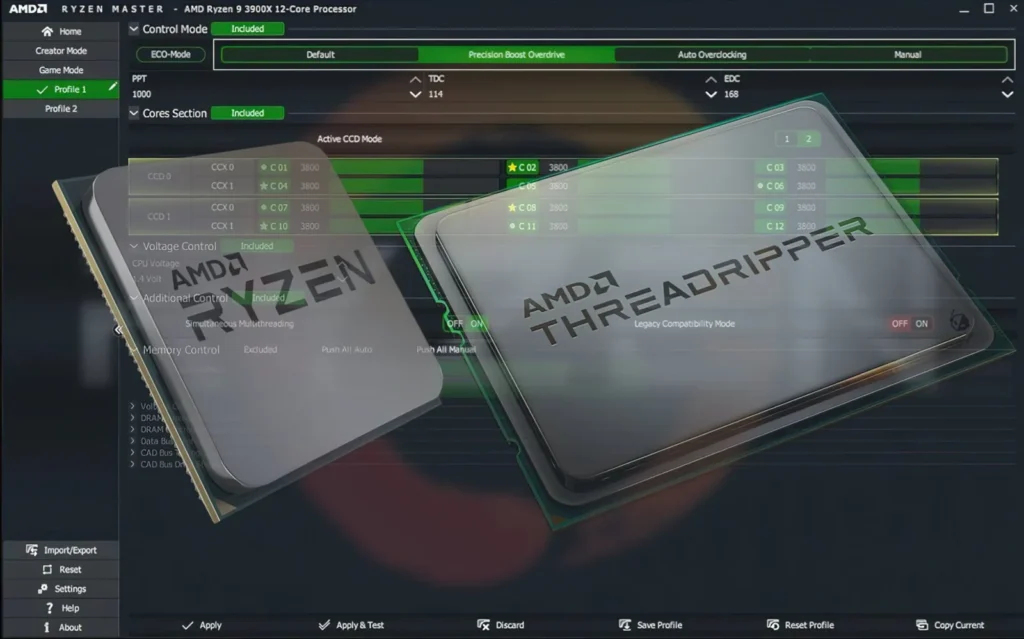
Ryzen Master classic interface showing PPT, TDC and EDC limits and per-core clocks
Control modes: Default, Precision Boost Overdrive, Auto Overclocking and Manual
Supported Processors

Designed for AMD desktop platforms

Available features depend on the specific CPU model and motherboard configuration.

AMD Ryzen Desktop Processors

Compatible Ryzen desktop processors across multiple generations — including Ryzen 5000, 7000 and 9000 Series. Some support advanced overclocking, others more limited functionality.

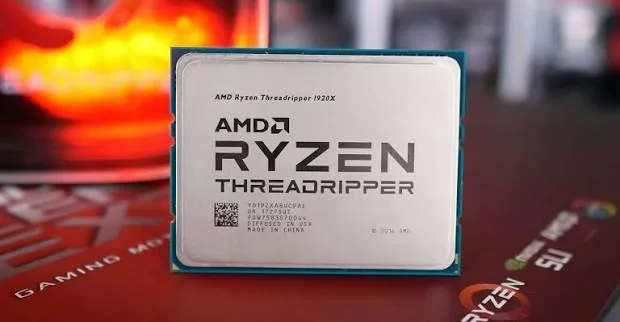
AMD Ryzen Threadripper

Compatible Threadripper processors used in high-performance desktop and workstation systems can use Ryzen Master for monitoring and tuning.

AMD Ryzen Threadripper PRO

Selected Threadripper PRO workstation processors are supported. Features depend on platform, generation, chipset and configuration.

Unsupported Processors

  • Intel processors
  • Many AMD laptop processors
  • Restricted OEM systems

Always check current AMD compatibility documentation before installing.

Installation

How to install Ryzen Master

Installing is straightforward on an officially supported AMD system.

  1. Visit AMD's official Ryzen Master download page.
  2. Check that your processor and operating system are supported.
  3. Download the official Ryzen Master installer.
  4. Locate the downloaded installation file.
  5. Double-click the installer to begin installation.
  6. Review the software agreement and overclocking risk notice.
  7. Follow the installation instructions.
  8. Restart Windows if required.
  9. Open Ryzen Master from the Windows Start menu.
  10. Review the monitoring dashboard before adjusting any settings.
Ryzen Master Tuning tab with per-core frequency controls on a desktop monitor
Ryzen Master Tuning tab after installation
AMD recommends an updated motherboard BIOS and reviewing BIOS defaults before installing. Back up important files before attempting processor or memory tuning.
Download

Get Ryzen Master from the official source

Official downloads provide the appropriate installation package and reduce the risks associated with unofficial or modified installers.

Verify that your AMD processor, motherboard chipset, and Windows version are supported. Avoid websites that offer modified installers or claim “unlocked” performance features.

Click To DownloadCheck CompatibilityFree · Windows 10/11 64-bit
Supported

Ryzen Master on Windows

Designed for compatible 64-bit Windows environments. AMD’s Ryzen Master 3.1.0 documentation lists Windows 10 64-bit and Windows 11 64-bit as supported.

Keep Windows, BIOS, and chipset software up to date. If installation or startup fails, follow AMD’s troubleshooting guidance rather than disabling Windows security features.

Not officially available

Ryzen Master on Linux

Ryzen Master is not provided as a native Linux application. Linux users generally rely on other monitoring utilities and platform-specific tools.

Community projects are not equivalent to official support — use a compatible Windows installation for the official interface.

Compatibility

What affects compatibility

Compatibility depends on the combination of processor, motherboard, firmware, and operating system. Some systems may allow monitoring but restrict overclocking.

Processor generationMotherboard chipsetBIOS versionWindows versionOverclocking permissionsOEM restrictionsCooling capabilitySoftware version

System Requirements

No dedicated gaming graphics card is needed to access CPU monitoring and configuration.

  • Compatible AMD Ryzen or Ryzen Threadripper processor
  • Supported motherboard chipset
  • Windows 10 or Windows 11, 64-bit
  • Compatible motherboard BIOS
  • Appropriate system permissions
  • Sufficient cooling for the selected configuration
  • Stable power delivery
Why Use It

Greater visibility, convenient tuning

AMD Ryzen processors deliver their intended stock performance without Ryzen Master — it's for users who want more insight and control.

  • Monitor processor temperatures
  • Check CPU operating frequencies
  • Review voltage and power information
  • Explore supported overclocking
  • Configure Precision Boost Overdrive
  • Experiment with Curve Optimizer
  • Save personalized profiles
  • Explore memory settings
  • Evaluate behavior during stress testing
  • Adjust power-related settings

Advantages

  • Official AMD software — built for supported Ryzen platforms
  • Detailed monitoring — temps, frequencies, voltage, power
  • Advanced overclocking — manual tuning and extra controls
  • PBO integration — configure PBO settings in software
  • Curve Optimizer support — voltage-frequency optimization
  • Custom profiles — keep multiple configurations
  • Convenient interface — fewer trips into BIOS menus

Limitations

  • Limited compatibility — not every AMD CPU or board
  • Windows-focused — no native Linux support
  • Overclocking risks — heat, crashes, damage, data loss
  • No guaranteed gains — depends on hardware and workload
  • Restarts needed — for some CPU or memory changes
  • Warranty considerations — out-of-spec operation
  • Learning curve — requires tuning knowledge
Troubleshooting

Common problems and fixes

Ryzen Master is not opening

First confirm that your processor and operating system are supported. Restart Windows and check whether the application opens normally.

If the problem continues, review AMD’s current support instructions and consider reinstalling the official application.

Ryzen Master installation failed

Errors may occur because of incompatible hardware, software restrictions, or problems with an existing installation. Confirm you downloaded the correct official installer and that your system meets compatibility conditions before trying again.

Ryzen Master does not detect the CPU

Check your motherboard BIOS version and confirm that Ryzen Master supports your processor. Some restricted processors and OEM systems may not allow full access to tuning functions.

Ryzen Master overclocking is disabled

Certain AMD systems provide monitoring without allowing CPU overclocking, due to processor limitations, chipset restrictions, or manufacturer configuration. Don’t assume changing Windows settings will unlock unsupported functionality.

Ryzen Master settings are not applying

Some settings require supported hardware or a restart. Check whether the option is compatible with your processor and motherboard, and avoid applying several aggressive changes at once.

Computer crashes after overclocking

Unstable frequencies, voltages, or memory settings may cause crashes. Return to known stable settings and review cooling and power configuration. If Windows cannot start, BIOS recovery procedures may be required.

Ryzen Master shows high CPU temperature

Temperatures depend on processor, workload, cooling, and conditions. Check that the cooler is installed correctly and fans are working. If temperatures become excessive after tuning, restore defaults and investigate cooling.

Ryzen Master conflicts with BIOS settings

Some controls are also available in the BIOS. Overlapping changes through multiple interfaces make configurations hard to understand — use a consistent approach and consult AMD and motherboard documentation.

Safety

Is Ryzen Master safe?

Ryzen Master is legitimate software developed by AMD — but the software's authenticity doesn't mean every tuning setting is safe.

Safe practices

  • Download only from AMD's official website
  • Use monitoring features without changing stock settings
  • Maintain adequate cooling
  • Back up important data before tuning

Potential risks

  • System instability from improper overclocking
  • Excessive heat
  • Component damage or reduced lifespan
  • Data loss from unstable settings
Comparison

Ryzen Master vs BIOS overclocking

The better option depends on hardware compatibility, experience, and the specific feature. Neither removes the risks of operating beyond official specifications.

Ryzen MasterMotherboard BIOS
InterfaceWindows-based applicationMotherboard firmware menus
MonitoringReal-time while working in WindowsLimited to firmware screens
ExperimentationConvenient, quick to try changesRequires rebooting into BIOS
Configuration levelSoftware-level tuningFirmware-level configuration
RiskOut-of-spec risks applyOut-of-spec risks apply
Screenshots

Inside Ryzen Master

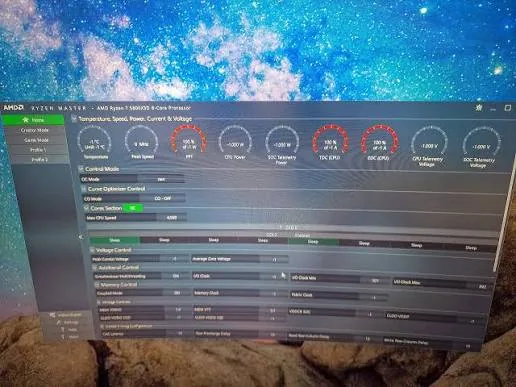
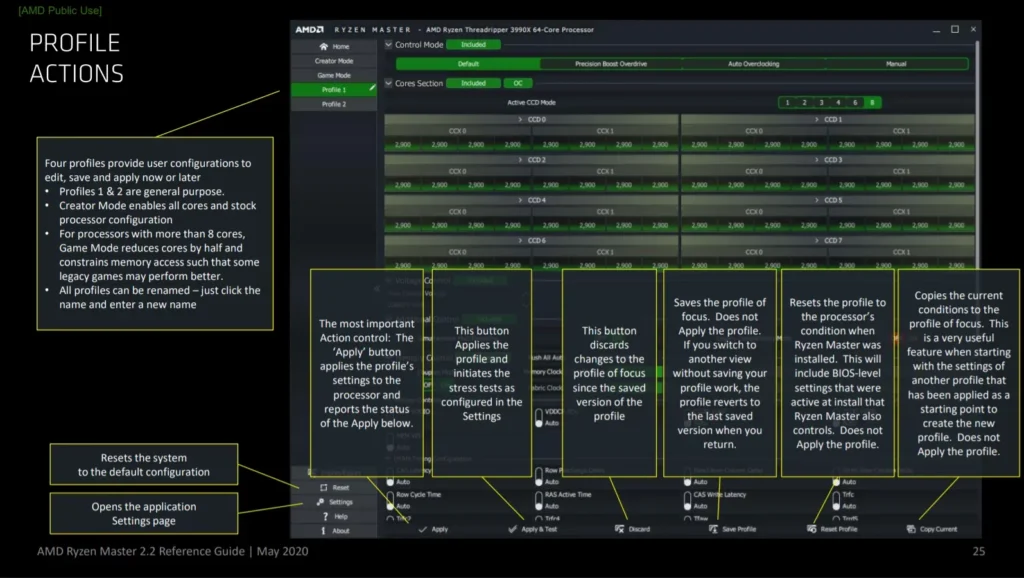
A look at the monitoring dashboard, tuning controls and profile actions. Click any image to enlarge.

Guide

Latest Ryzen Master guides

Step-by-step tutorials on installation, monitoring, PBO, Curve Optimizer and troubleshooting.

View all 20 guides →
FAQ

Frequently asked questions

What is Ryzen Master?

AMD’s official processor monitoring and tuning software for compatible Ryzen desktop and Threadripper platforms.

Is Ryzen Master free?

Yes. Ryzen Master is available as a free utility from AMD.

Is Ryzen Master safe to download?

Yes, when downloaded from AMD’s official website. Changing processor settings can still introduce stability and hardware risks.

Does Ryzen Master improve gaming performance?

It provides tuning controls that may improve performance in certain situations, but improvements are not guaranteed.

Can Ryzen Master overclock a CPU?

Yes, on supported AMD processors and motherboard configurations.

Does Ryzen Master support Windows 11?

Yes. Compatible 64-bit Windows 11 installations are supported.

Does Ryzen Master work on Windows 10?

Yes. AMD’s current documentation also lists 64-bit Windows 10 as supported.

Can Ryzen Master monitor CPU temperature?

Yes. CPU temperature monitoring is one of its useful functions.

Does Ryzen Master support Precision Boost Overdrive?

Yes. Compatible processors and platforms can use supported PBO controls.

What is Curve Optimizer in Ryzen Master?

An AMD tuning feature that lets supported processors adjust aspects of voltage-frequency behavior.

Can Ryzen Master control CPU voltage?

Supported processors provide voltage-related tuning controls; exact options depend on the hardware.

Does Ryzen Master support Ryzen 5000 processors?

Yes. Compatible Ryzen 5000 Series desktop processors are supported, though features can differ between models.

Does Ryzen Master support Ryzen 7000 processors?

Yes. Compatible Ryzen 7000 Series desktop processors are supported.

Does Ryzen Master support Ryzen 9000 processors?

Yes, including additional tuning features on supported models.

Can Ryzen Master overclock RAM?

Selected versions and compatible platforms provide memory-tuning controls.

Does Ryzen Master work on laptops?

It’s primarily designed for desktop and workstation platforms. Typical Ryzen laptops are not supported for overclocking.

Is Ryzen Master available for Linux?

No official native Linux version is provided.

Can Ryzen Master damage a CPU?

Incorrect tuning settings can damage hardware or reduce its reliability and lifespan.

Does Ryzen Master require a restart?

Some changes apply within Windows, while others require a restart.

Why is Ryzen Master not working?

Possible reasons include unsupported hardware, outdated BIOS, Windows compatibility issues, or installation problems.

Can I use Ryzen Master without overclocking?

Yes. It can be used purely for processor monitoring on supported systems.

Is Ryzen Master better than BIOS overclocking?

Ryzen Master is convenient for Windows-based tuning, while BIOS provides firmware-level configuration. The best method depends on your system and needs.

Does Ryzen Master automatically boost CPU performance?

Not necessarily. Some configurations offer automatic tuning, but higher performance is not guaranteed.

Should beginners use Ryzen Master?

Beginners can explore monitoring features; advanced overclocking should only be attempted after understanding the risks.

Where can I download Ryzen Master?

From AMD’s official website.

Final Overview

Understand your processor. Tune with care.

By combining CPU monitoring, Precision Boost Overdrive, Curve Optimizer, performance profiles, memory settings, and advanced tuning features, Ryzen Master gives enthusiasts greater control over supported processors.

It isn’t an automatic solution for increasing PC speed. Download the latest official release, verify hardware support, maintain suitable cooling, and carefully evaluate every change.