“Is Ryzen Master safe?” has two answers: one about the software and one about the settings you change with it.
Is the software safe?
Yes — Ryzen Master is legitimate software developed by AMD. When you download it from AMD’s official website, you get an authentic installer.
The real danger is fake installers from unofficial websites. Avoid any site offering “unlocked”, “pro” or paid versions. See our installation guide.
Is using it safe?
Monitoring only: Viewing temperatures, clocks and power doesn’t change your processor’s operation. This is the safe way to use Ryzen Master.
Tuning: Ryzen Master can modify operating conditions beyond factory specifications on supported systems. Improper settings may cause:
- System instability and crashes
- Excessive heat
- Component damage or reduced lifespan
- Data loss or corruption
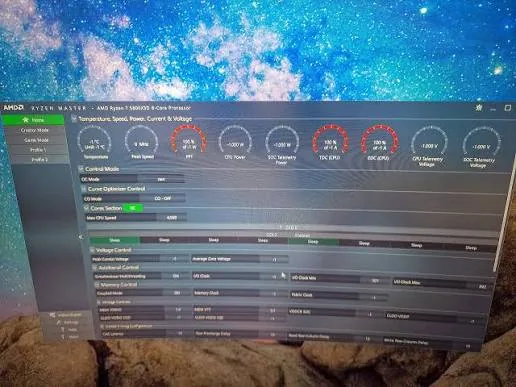
Warranty considerations
Operating hardware outside official AMD specifications can affect warranty coverage. Ryzen Master shows a risk notice during installation and use — read it carefully. If warranty is a priority for you, consider using Ryzen Master for monitoring only.
Risk levels by feature
| Feature | General risk |
|---|---|
| Monitoring | None from reading values |
| Eco Mode | Low — reduces power |
| PBO | Moderate — more heat and power |
| Curve Optimizer | Moderate — instability can be subtle |
| Manual overclocking | Higher |
| Manual voltage changes | Highest |
| Memory tuning | Moderate to high — can corrupt data |
This is a general guide, not a guarantee. Every system is different.
Best practices
- Download only from AMD.
- Back up important files before tuning.
- Record a baseline at stock.
- Change one thing at a time.
- Maintain good cooling — see our cooling guide.
- Avoid unfamiliar voltage changes.
- Stress test every change.
- Know how to reset — see our reset guide.
Should beginners use it?
Yes — for monitoring. Beginners can learn a lot by simply watching how their processor behaves. Move to tuning only after understanding the risks and hardware requirements.
Summary
Ryzen Master is safe software; tuning carries real risk. Download from AMD, start with monitoring, and approach every change with backups, cooling, testing and a way back to defaults.
Frequently asked questions
Is Ryzen Master a virus?
No. Ryzen Master is legitimate AMD software. Download it only from AMD’s official website to avoid fake installers.
Can Ryzen Master void my warranty?
Operating hardware outside official AMD specifications can affect warranty coverage. Read AMD’s risk notice carefully.
What is the safest way to use Ryzen Master?
Use it for monitoring only, or make small tested changes with good cooling, backups and a way to reset.