Every tuner eventually applies a setting that doesn’t work. Knowing how to get back to stock quickly is one of the most important skills you can have.
Option 1: Reset inside Ryzen Master
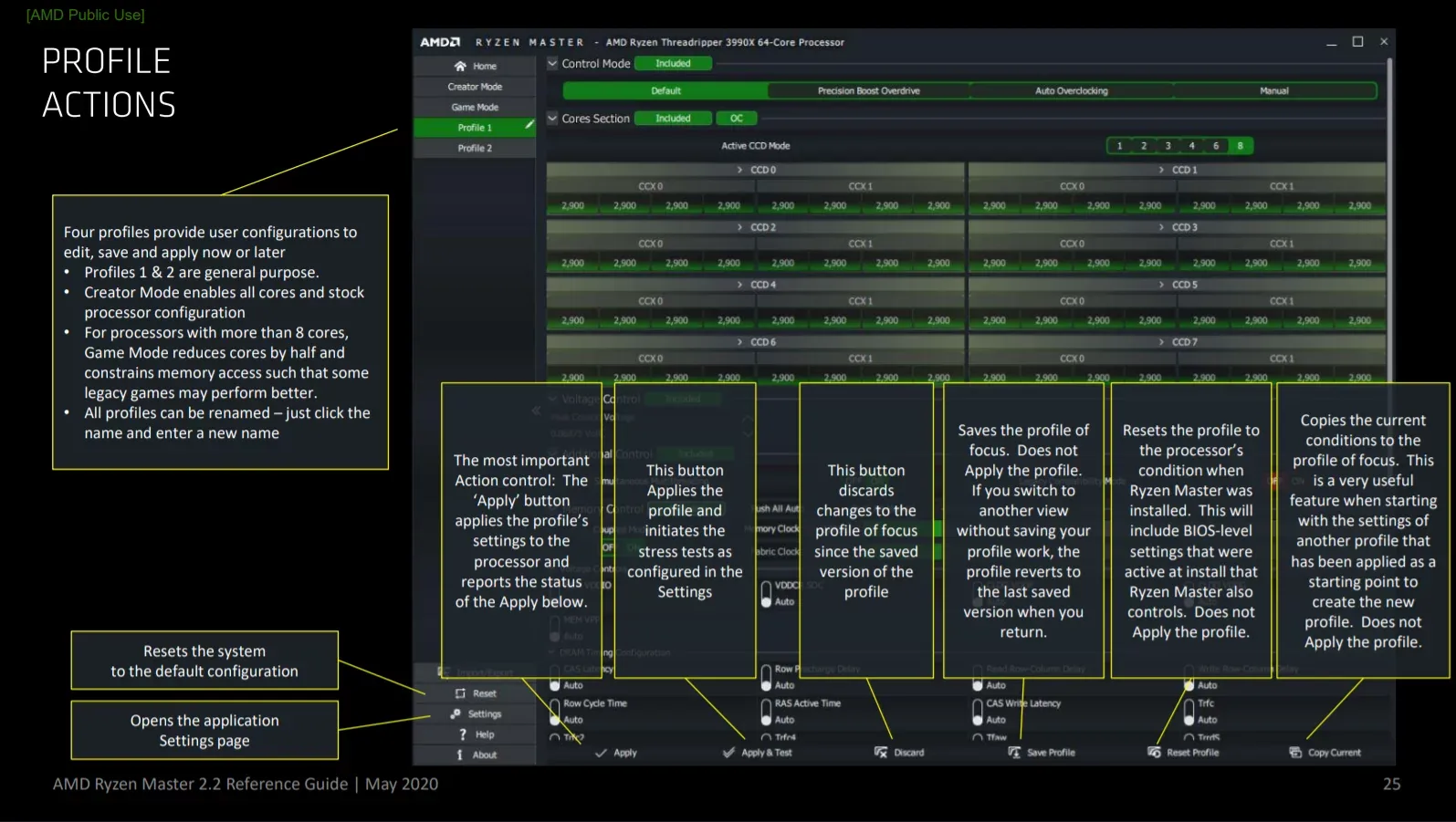
If Windows is working normally:
- Open Ryzen Master.
- Look for the option to reset or return to default settings in your version’s interface.
- Apply the change.
- Restart if asked.
- Check monitoring values to confirm your processor is back to normal behavior.
Option 2: The PC crashes after applying a setting
If the system crashes or reboots after a change:
- Let Windows start again.
- Before running anything heavy, open Ryzen Master and return to default or last stable settings.
- Restart and confirm stability.
- Write down the setting that caused the crash.
Option 3: Windows won’t start properly
If an unstable setting prevents Windows from starting:
- Enter the BIOS during startup (the key depends on your motherboard).
- Use the option to load optimized defaults or similar.
- Save and exit.
If you can’t even reach the BIOS, your motherboard manual explains how to clear CMOS, which resets BIOS settings. Follow the manual’s instructions exactly.
Check for conflicts afterwards
If you used both BIOS and Ryzen Master for tuning, a reset in one place may not clear the other. After recovery, review both so you know exactly which settings are active. See Ryzen Master vs BIOS.
Check your files
After serious crashes — especially from memory tuning — check that important recent files open correctly. This is why backing up before tuning matters.
Prevent future problems
- Change one setting at a time
- Keep a written log of stable values
- Stress test every change
- Save stable setups as profiles
Summary
Reset in Ryzen Master when Windows works; use BIOS defaults or clear CMOS when it doesn’t. Knowing your way back makes experimenting much less stressful.
Frequently asked questions
How do I reset Ryzen Master settings?
If Windows works, use the reset or default option in Ryzen Master and restart if asked.
What if Windows will not start after overclocking?
Enter the BIOS and load optimized defaults. If you cannot reach the BIOS, follow your motherboard manual to clear CMOS.
Does resetting Ryzen Master also reset BIOS settings?
Not always. If you tuned in both places, review both after recovery.