If you own an AMD Ryzen desktop processor, you have probably seen the name Ryzen Master in forums, YouTube videos, or AMD’s own website. This guide explains what the tool actually is, who should use it, and what to expect before you install it.
Ryzen Master in one sentence
Ryzen Master is AMD’s free, official Windows utility for monitoring and tuning compatible Ryzen and Ryzen Threadripper desktop processors.
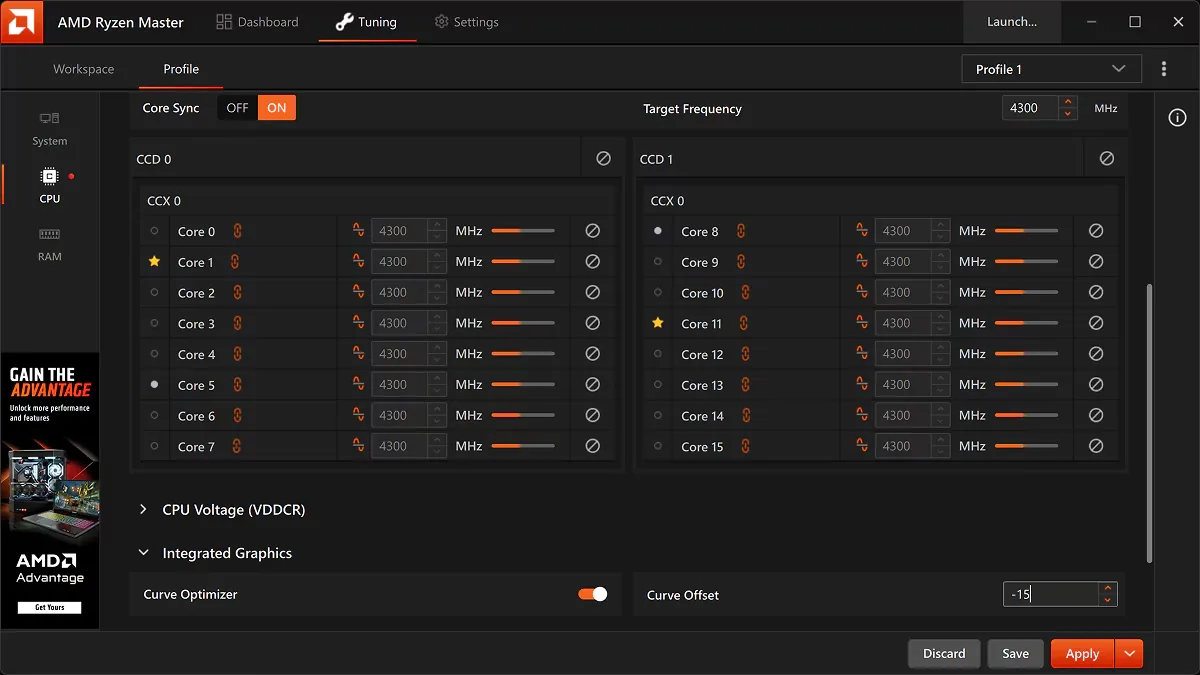
It gives you a software window into settings that normally live inside your motherboard BIOS, such as clock speeds, voltage, power limits, Precision Boost Overdrive and Curve Optimizer.
What Ryzen Master can do
Depending on your processor, motherboard and software version, Ryzen Master can help you:
- Watch CPU temperature, clock speed, voltage and power in real time
- See how individual cores behave under load
- Configure Precision Boost Overdrive (PBO)
- Experiment with Curve Optimizer
- Try manual or automatic overclocking
- Save tuning setups as profiles
- Switch on Eco Mode on supported chips
- Explore selected memory settings
- Run basic stress tests after making changes
What Ryzen Master is not
It is important to set expectations correctly:
- It is not a “speed booster” button. Your Ryzen CPU already boosts automatically at stock settings. Ryzen Master gives you controls; it does not magically add performance.
- It is not universal. Intel processors are not supported, and most Ryzen laptops do not get overclocking controls.
- It does not replace the BIOS. Many settings exist in both places, and the BIOS remains the foundation of your configuration.
Who should use it?
Ryzen Master is a good fit for:
- Enthusiasts who enjoy tuning and testing hardware
- Gamers who want to understand temperatures and boost behavior
- Content creators who run long, heavy workloads and care about sustained performance or heat
- Curious beginners who only want monitoring — this is completely fine and carries no tuning risk
If you just want a quiet, stable PC and have no interest in tuning, you can skip Ryzen Master entirely. Your processor will still deliver its intended stock performance.
The two main ways to use it
1. Monitoring only
Install it, open it, and simply watch the readings. You change nothing, so there is no added risk. This is the best first step for every user.
2. Tuning
Once you understand your system’s normal temperatures and clocks, you can carefully explore features like PBO, Curve Optimizer or Eco Mode. Every change should be followed by stability testing.
A safe first-day plan
- Download Ryzen Master only from AMD’s official website.
- Install it and restart if asked.
- Open the monitoring view and note your idle temperature and clocks.
- Run a game or heavy app and note load temperatures.
- Write these numbers down — they are your baseline.
- Do not change any setting on day one.
Having a baseline makes every later change easy to judge.
Final thoughts
Ryzen Master is a useful, legitimate tool from AMD. Treat it as a dashboard first and a tuning tool second. Learn how your processor behaves at stock, then make small, tested changes if you want to go further.
Next, read our guide on how to download and install Ryzen Master safely.
Frequently asked questions
Is Ryzen Master made by AMD?
Yes. Ryzen Master is AMD’s official, free utility for monitoring and tuning compatible Ryzen and Ryzen Threadripper desktop processors.
Do I need Ryzen Master for my Ryzen CPU to work properly?
No. Ryzen processors deliver their intended stock performance without Ryzen Master. The tool is optional and mainly useful for monitoring and tuning.
Can a beginner use Ryzen Master?
Yes, for monitoring. Beginners can safely watch temperatures, clocks and power. Tuning should wait until you understand the risks and know how to test stability.