Manual overclocking is the classic way to tune a processor. On supported Ryzen CPUs and motherboards, Ryzen Master provides controls for it. This guide explains the basics and the trade-offs.
What manual overclocking means
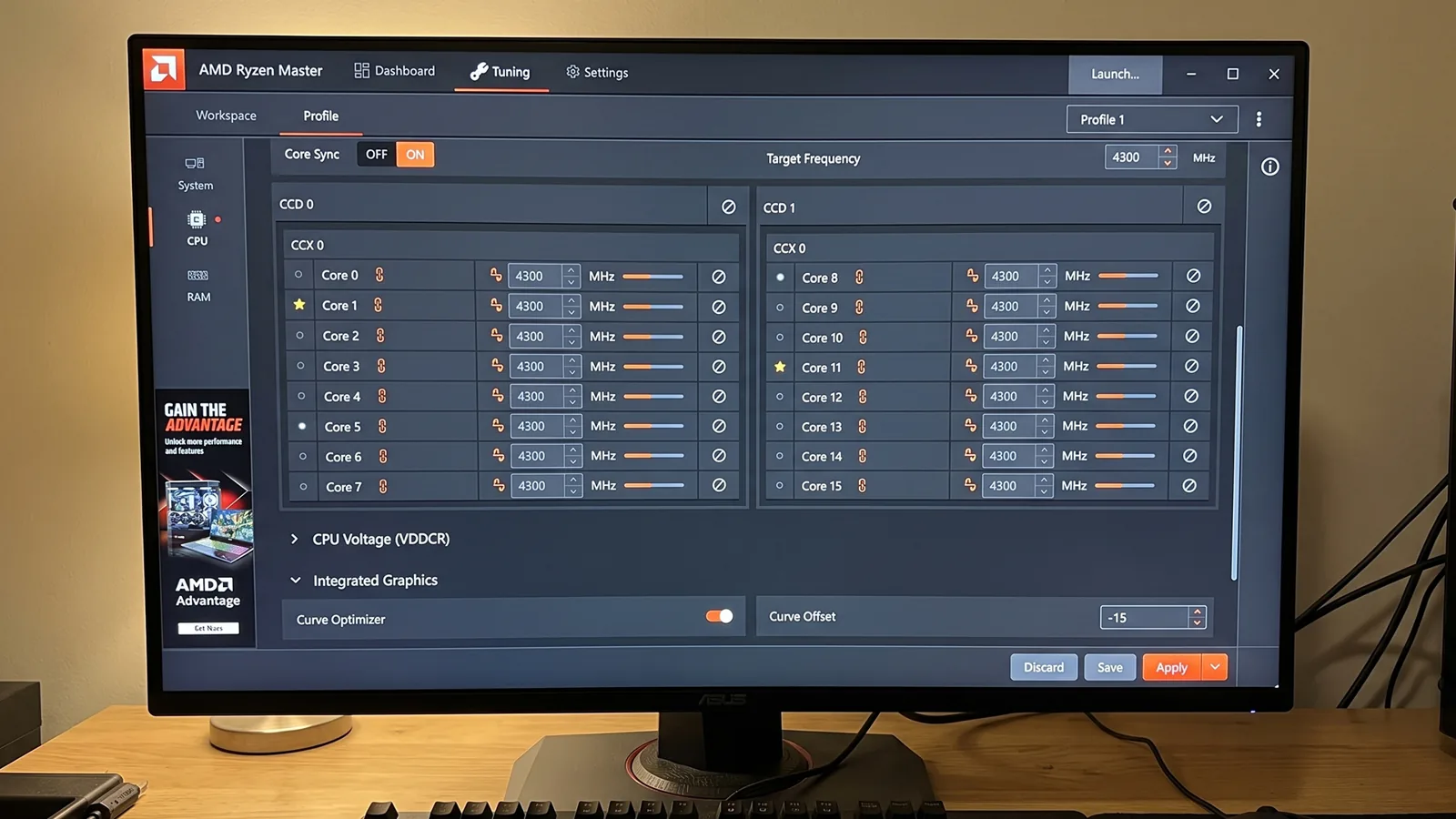
Instead of letting the processor choose its own clocks, you set processor frequency (and sometimes voltage) yourself. The goal is to run faster than default under certain workloads.
The trade-offs
Manual overclocking is not always better than stock or PBO on modern Ryzen processors:
- Fixed all-core clocks can lower single-core boost. Stock boost may push one or two cores higher than a manual all-core setting.
- More heat and power. Higher frequency and voltage increase both.
- Stability work. Every change needs testing.
- Warranty. Operating outside AMD specifications can affect warranty coverage.
Many users find PBO or Curve Optimizer gives a better balance.
Before you begin
- Record your stock baseline (temperatures, clocks, benchmark scores)
- Make sure your cooling is strong enough
- Back up important files
- Know how to restore default settings
A cautious method
- Benchmark at stock. Use a repeatable test and note the score.
- Make one small frequency increase. Small steps only.
- Apply and test. Run a stress test and watch temperatures.
- If stable, run your benchmark and compare to stock.
- Repeat in small steps until you see instability, excessive heat, or no further benefit.
- Step back to the last fully stable setting.
About voltage
Voltage is where risk rises fastest. If you are a beginner, avoid manual voltage changes. More voltage means more heat and can reduce processor lifespan. Never copy aggressive voltage values from the internet.
How to know if it’s worth it
Compare your final overclock against stock in your real workloads:
- Did performance improve noticeably?
- How much did temperature and noise increase?
- Is the system completely stable in daily use?
If the gain is small and the heat is large, stock or PBO may be the smarter choice.
Save your work as a profile
Once you find a stable configuration, save it as a profile. See our profiles guide.
Summary
Manual overclocking gives you direct control but costs more heat, power and testing time. Use small steps, avoid unfamiliar voltage changes, and compare results honestly against stock.
Frequently asked questions
Is manual overclocking better than PBO?
Not always. Fixed all-core clocks can reduce single-core boost, so many users find PBO or Curve Optimizer gives a better balance.
Should beginners change CPU voltage?
Beginners should avoid manual voltage changes. Higher voltage increases heat and can reduce processor lifespan.
How do I know if my overclock is worth it?
Compare performance, temperatures, noise and stability against your stock baseline in your real workloads.