Curve Optimizer is a powerful Ryzen tuning feature available on supported processors. It’s popular because it can help balance temperature, power and performance — but it needs patience.
What Curve Optimizer does
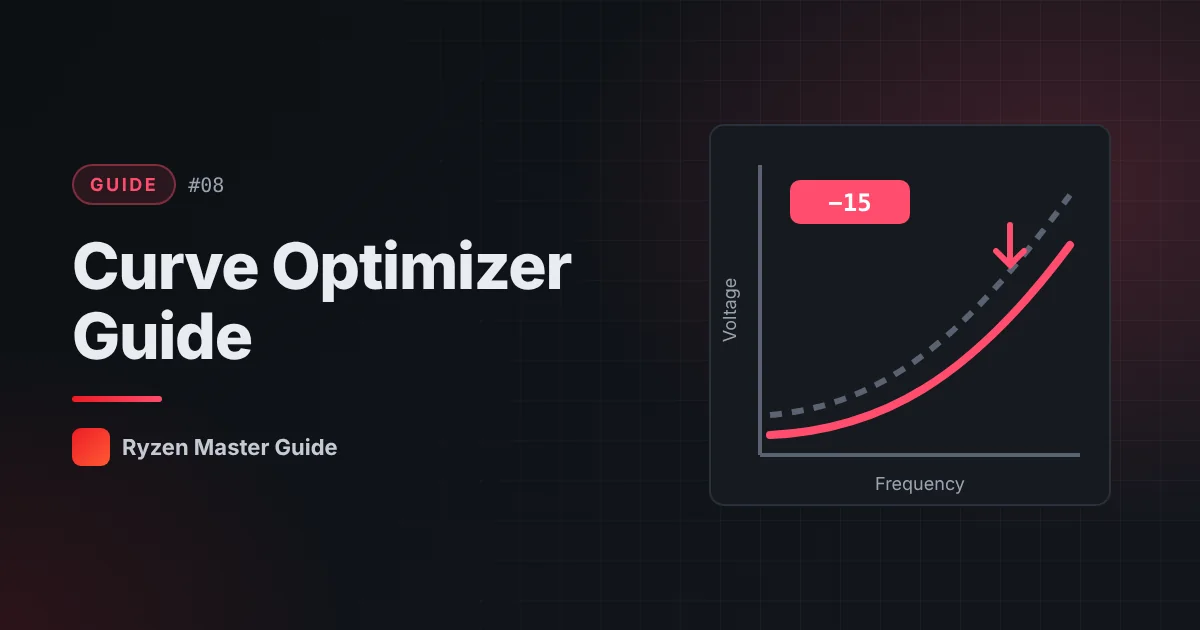
Every processor follows a voltage-frequency curve: to run at a given clock speed, it requests a certain voltage. Curve Optimizer lets you shift that curve on supported processors.
- A negative offset asks for slightly less voltage at a given frequency.
- A positive offset asks for slightly more.
Lower voltage can mean less heat, which may allow the processor to boost higher or more consistently. But if voltage goes too low for a particular core, it can become unstable.
Why it’s different from manual overclocking
Manual overclocking often locks a fixed frequency. Curve Optimizer keeps the automatic boost behavior and simply changes how much voltage the processor uses along the way.
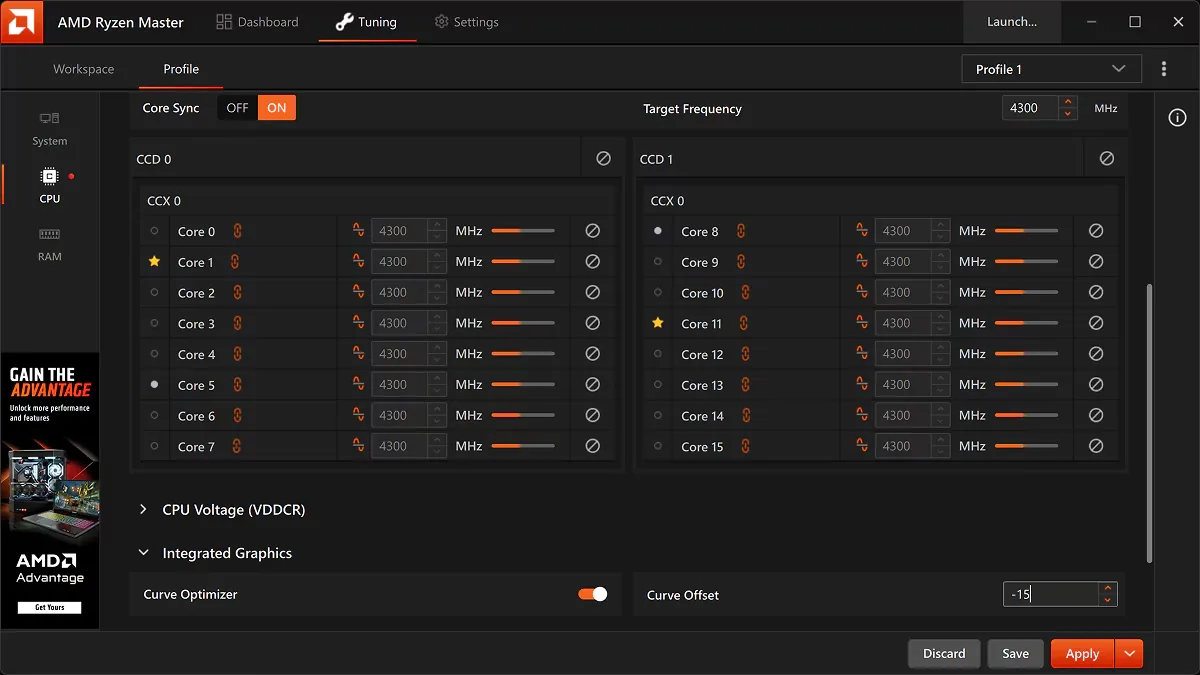
All-core vs per-core
Depending on your version and hardware, you may be able to apply:
- All-core: one offset for every core — simpler
- Per-core: different offsets for each core — more precise but much more testing
Cores aren’t identical, so a value that works on one core may not work on another.
The big risk: hidden instability
Curve Optimizer instability isn’t always obvious. A system may pass a heavy stress test but crash when idle or under light load, because those situations use different voltage points. Symptoms include:
- Random reboots, sometimes at idle
- Application or game crashes
- Calculation errors in demanding apps
- Windows error messages that seem unrelated
That’s why stability testing is essential.
A careful approach
- Record your stock baseline.
- Start with a small all-core adjustment.
- Apply it and use the PC normally plus run stress tests.
- Include idle time and light tasks in testing, not only heavy loads.
- If stable after thorough testing, consider a slightly larger adjustment.
- If anything crashes, go back to the last stable value.
- Write down every value and result.
Don’t chase someone else’s numbers from the internet. Your processor is unique.
Curve Optimizer with PBO
Curve Optimizer is often used together with PBO. Tune one feature at a time so you know which setting causes any problem.
If things go wrong
Return to default settings in Ryzen Master. If Windows won’t start properly, you may need to reset settings through the BIOS. See how to reset Ryzen Master settings.
Summary
Curve Optimizer adjusts the voltage-frequency curve and can improve the balance of heat and performance, but instability can be subtle. Go slowly, test widely, and keep records.
Frequently asked questions
What does a negative Curve Optimizer offset do?
It asks the processor for slightly less voltage at a given frequency, which can reduce heat but may cause instability if pushed too far.
Why does my PC crash at idle after using Curve Optimizer?
Instability can appear under light loads or at idle because those situations use different voltage points than heavy stress tests.
Should I copy Curve Optimizer values from the internet?
No. Every processor is different. Start small and test your own system thoroughly.